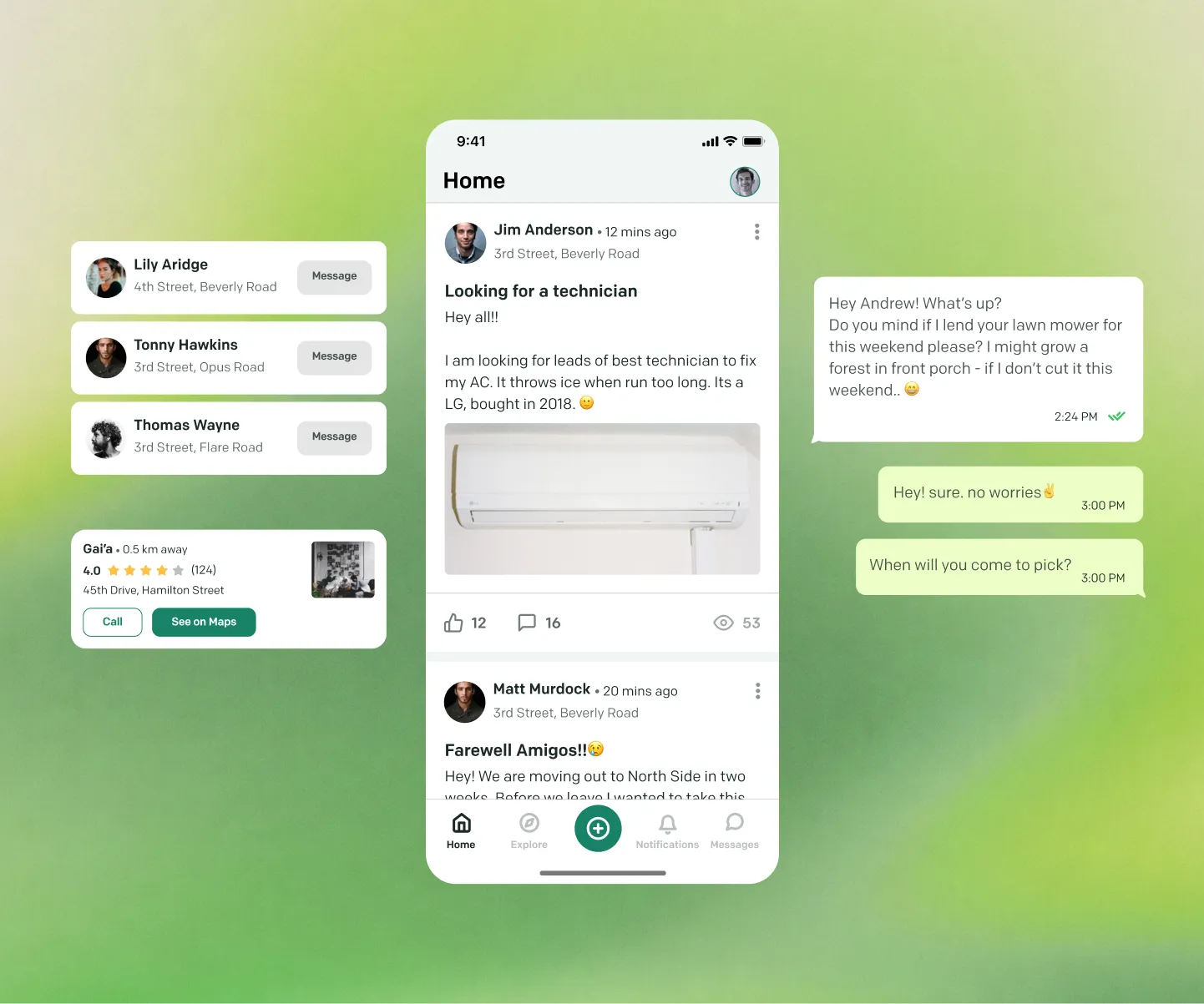
The Need
Recently, while listening to a podcast, I learned about the Chicago Heat Wave in 1995, and how people in areas where communities were stronger had fewer casualties than those who used to live in isolation. So it really made me think about how communities can help in dealing with such calamities and keep everyone safe.
It got me thinking — what if we had a digital solution that could help bring people together and create better communities.
Conducting User Research
I asked myself and figured out what I don’t know about the problem space, users, and my current assumptions about the problem and what users want. So I prepared questions that I want to ask potential users to figure out their needs, wants, mental models, and what they think about the problem in question.
I reached out to people from 18-60 years of age, of different genders, so that I could hear the opinions and views of all possible users. I asked people that I knew around me and some others — with different educational, social, and financial backgrounds — if they were willing to be part of this study and if they believed in this problem space.
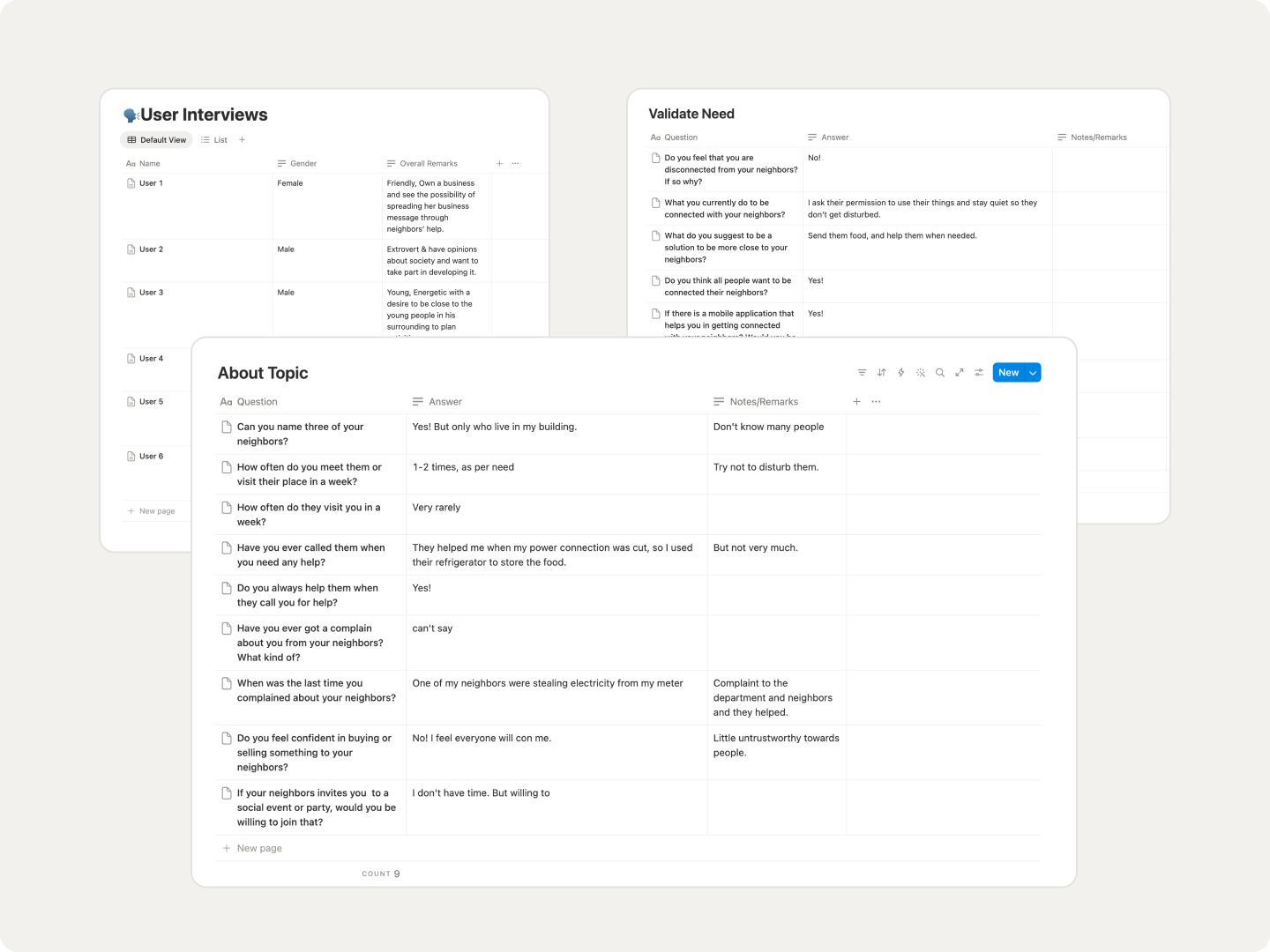
Synthesizing Results from Research
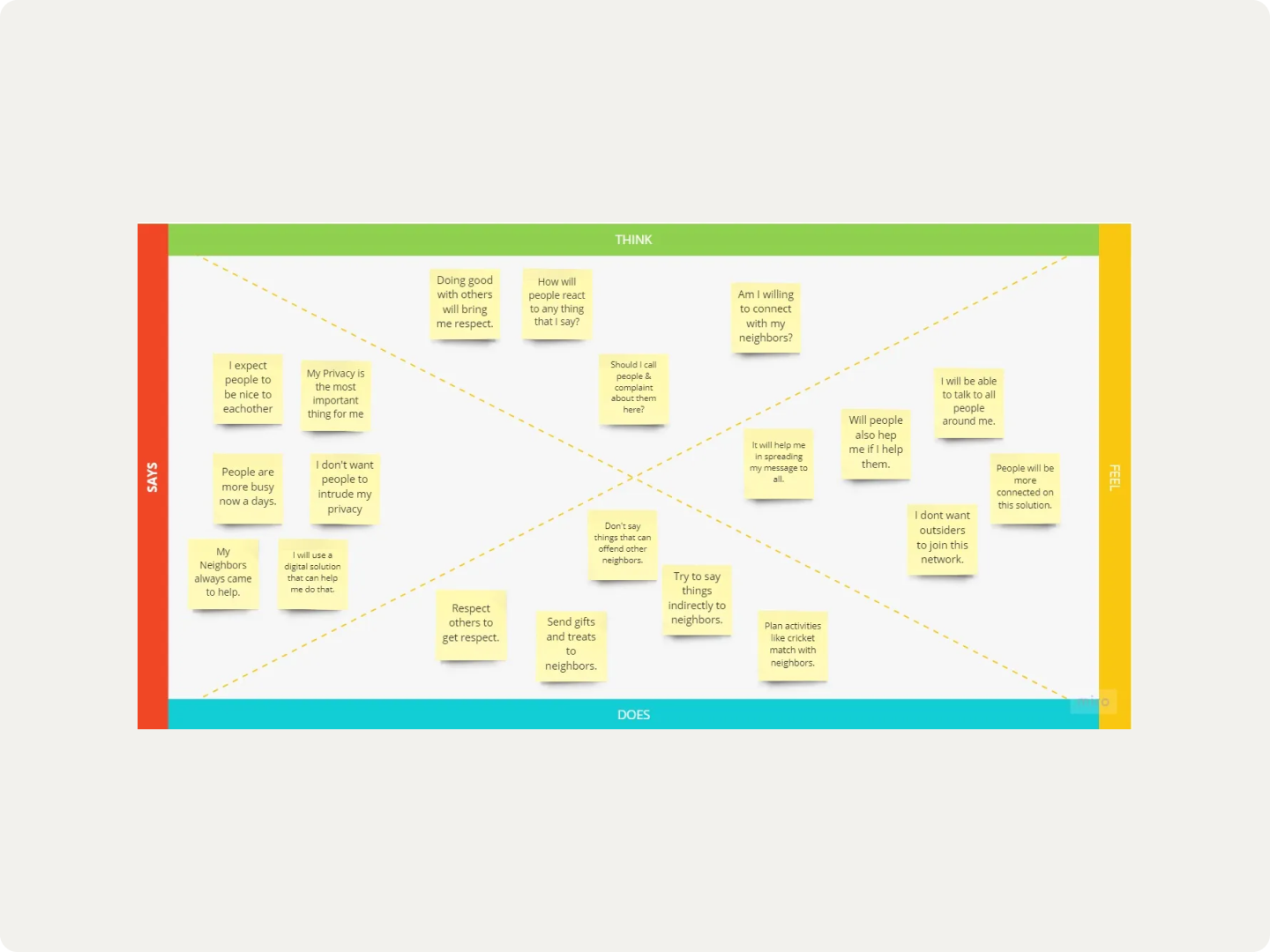
Then I synthesized my user research into actionable items and figured out user motivations, How Might We questions, and user need statements. I created an empathy map of Living in a Neighborhood to consider and look up to during the coming phases of design.
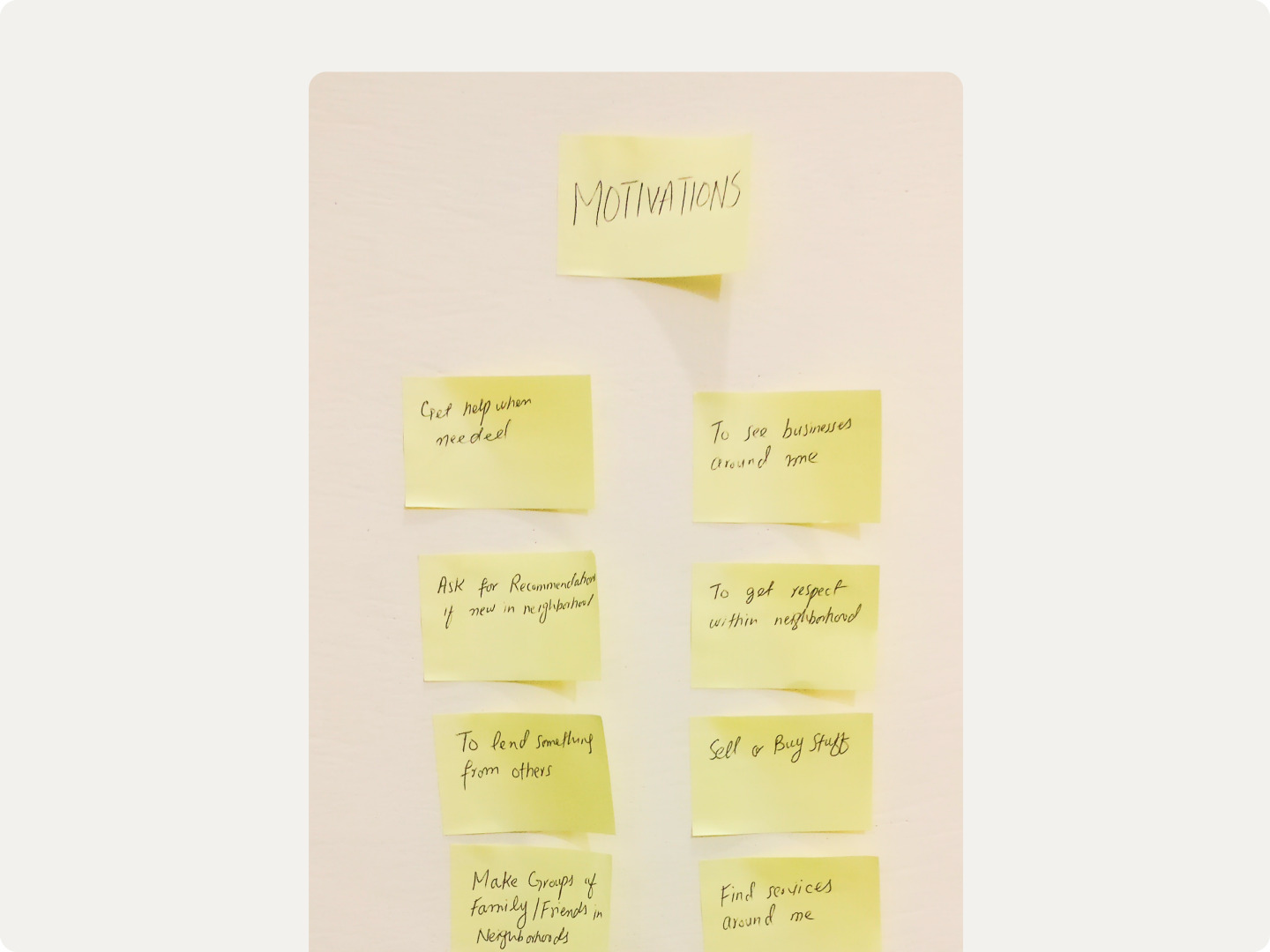
User Motivations
My research showed me many opportunities and motivations that users mentioned, triggering a conversation or a possible interaction with other neighbors.
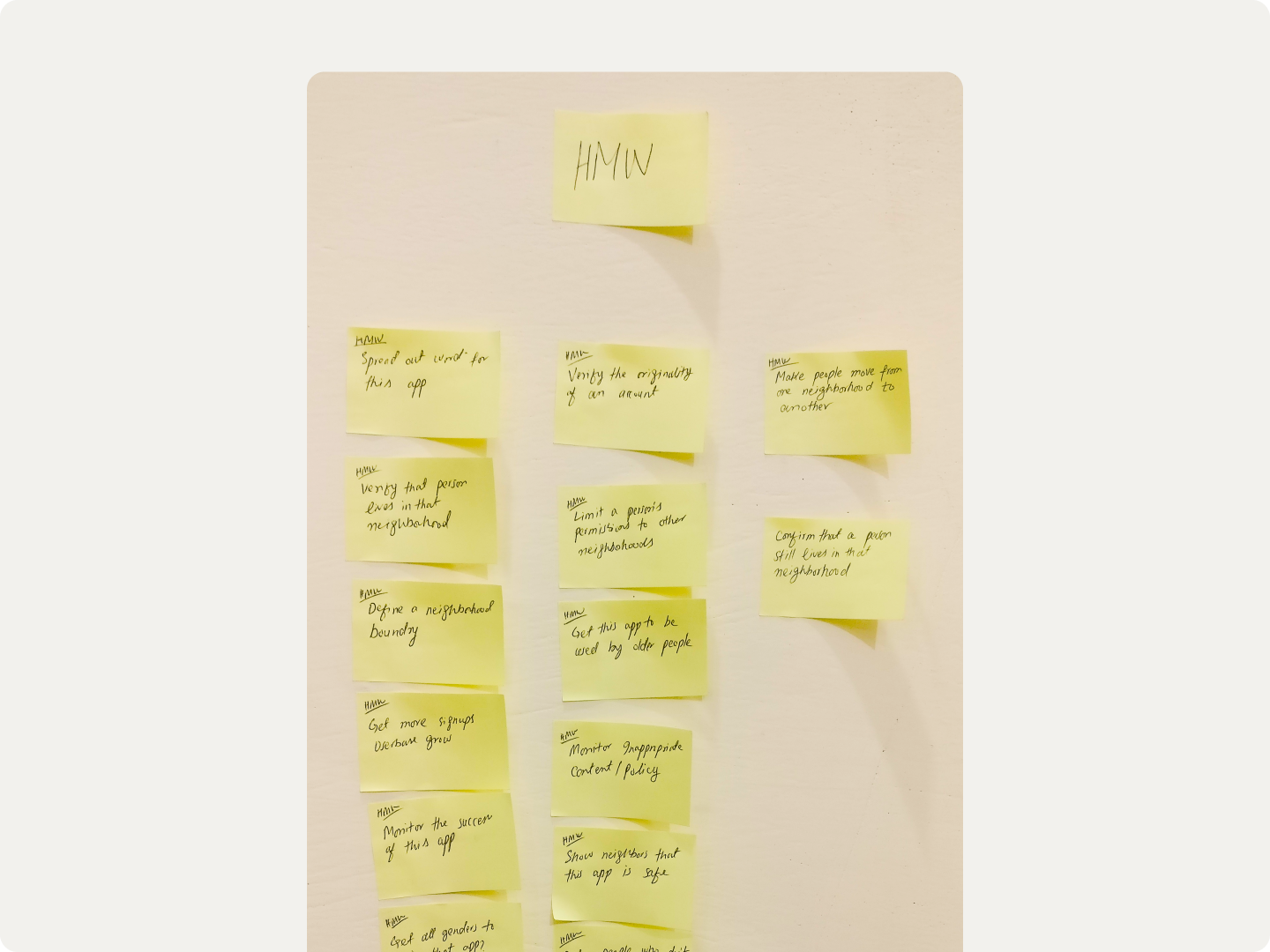
How Might We
User motivations and needs were turned into product challenges by converting them into How Might We questions, which helped in making sense of the overall product and starting a conversation toward product features that can solve those challenges.
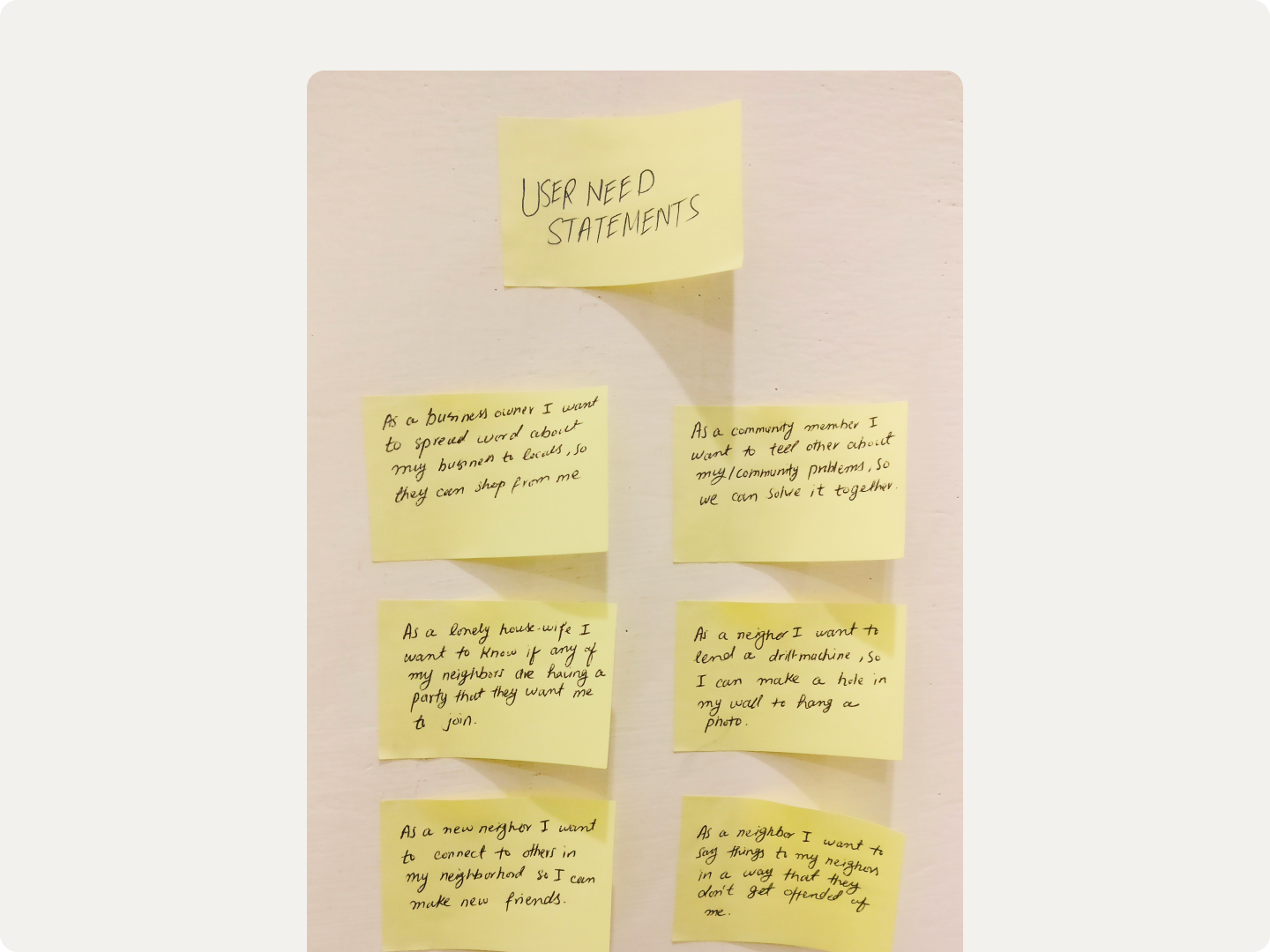
User Need Statements
Then I created user need statements that visualized the scenarios and opportunities that can make people use the different and overall products. And how this product can fit in their lives.
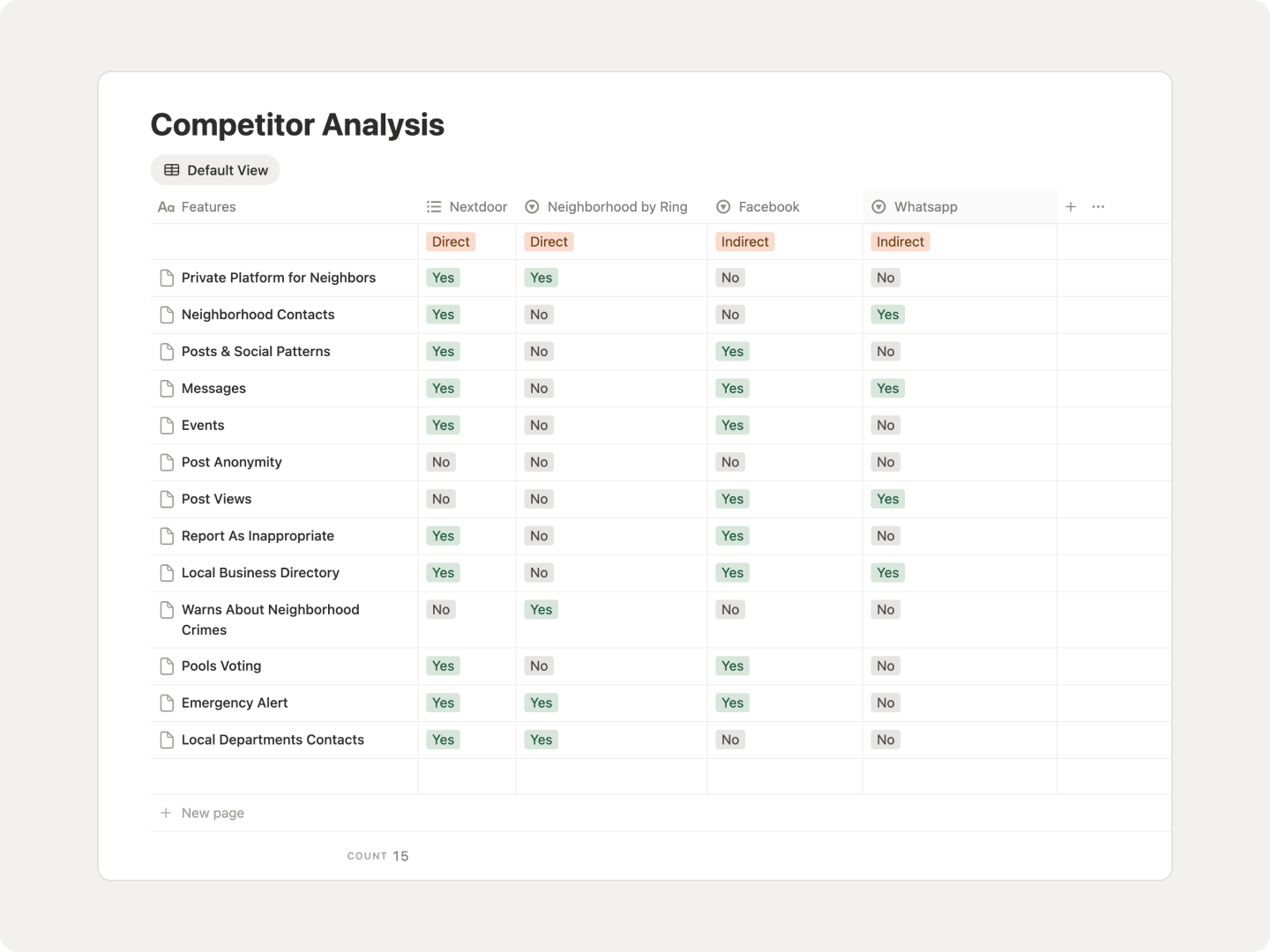
Competitor Analysis
Then I looked at the competitors in the market to see what solutions are out there currently and how I could find an opportunity to make the product give a competitive advantage and address user needs and challenges that I identified in this product. I identified two primary competitors in this space, and two other competitors were identified during the research phase and presented by people — and some other solutions that people can use to cater to this need.
User Flow Diagram
Then I turned the overall ideas and needs into flows and how they would be accessed and embedded into the application — turning the ambiguous, possible solutions into tangible, executable user flows. I also thought of many possible ways to handle the problems and limitations that can affect the product and how the user needs will be covered in these flows.
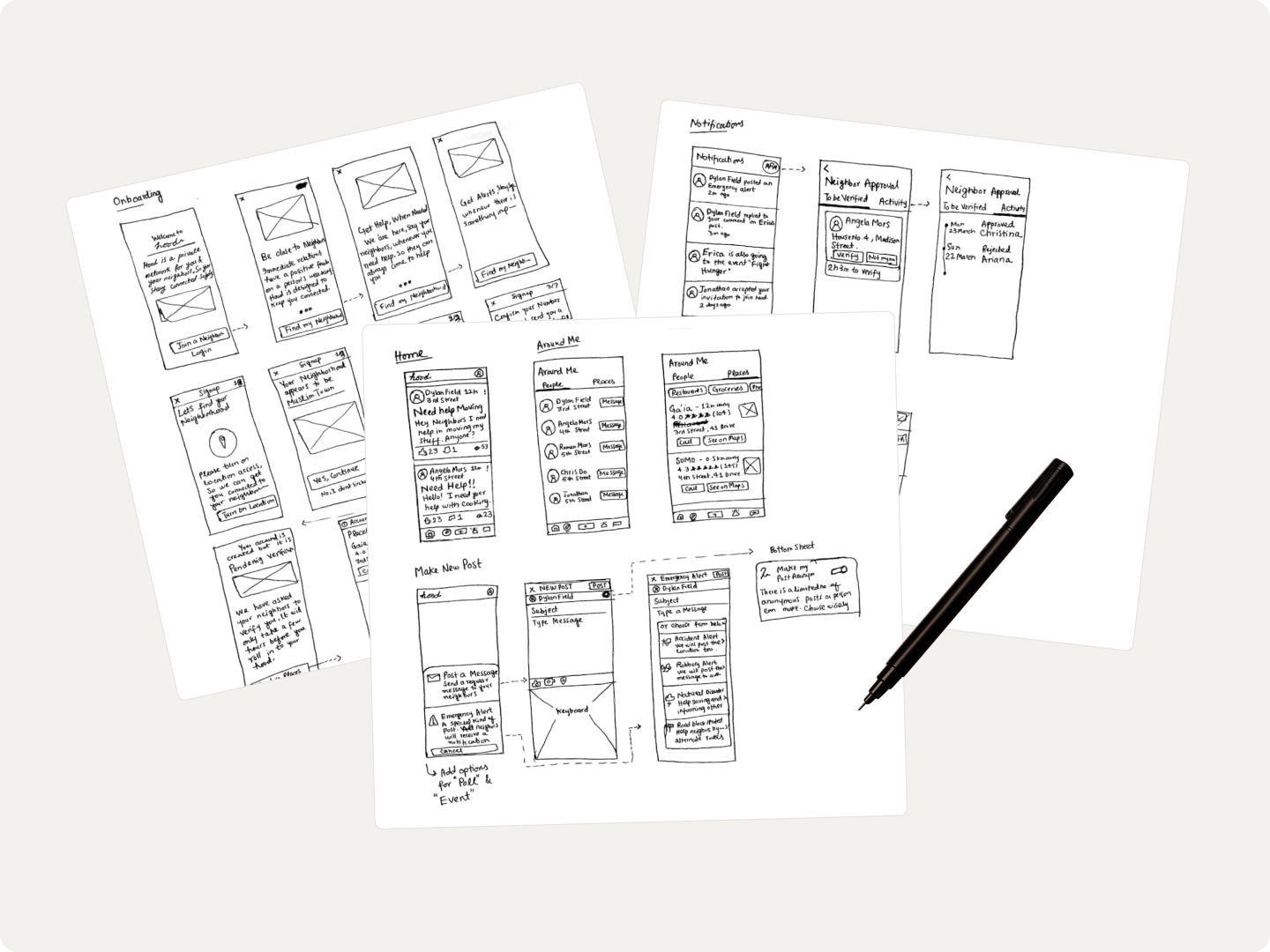
Paper Sketches
The next step was to convert those flows into layouts and screens which a user can interact with. So I opted for paper sketches first before moving to any design tool, as it helped me in not derailing thinking about columns, grids, text, and button sizes. So I sketched key screens and scenarios in the product, and I also tried to think of the copy during this phase so I could see how it would affect the interface and layout in the real app.
Visual Design
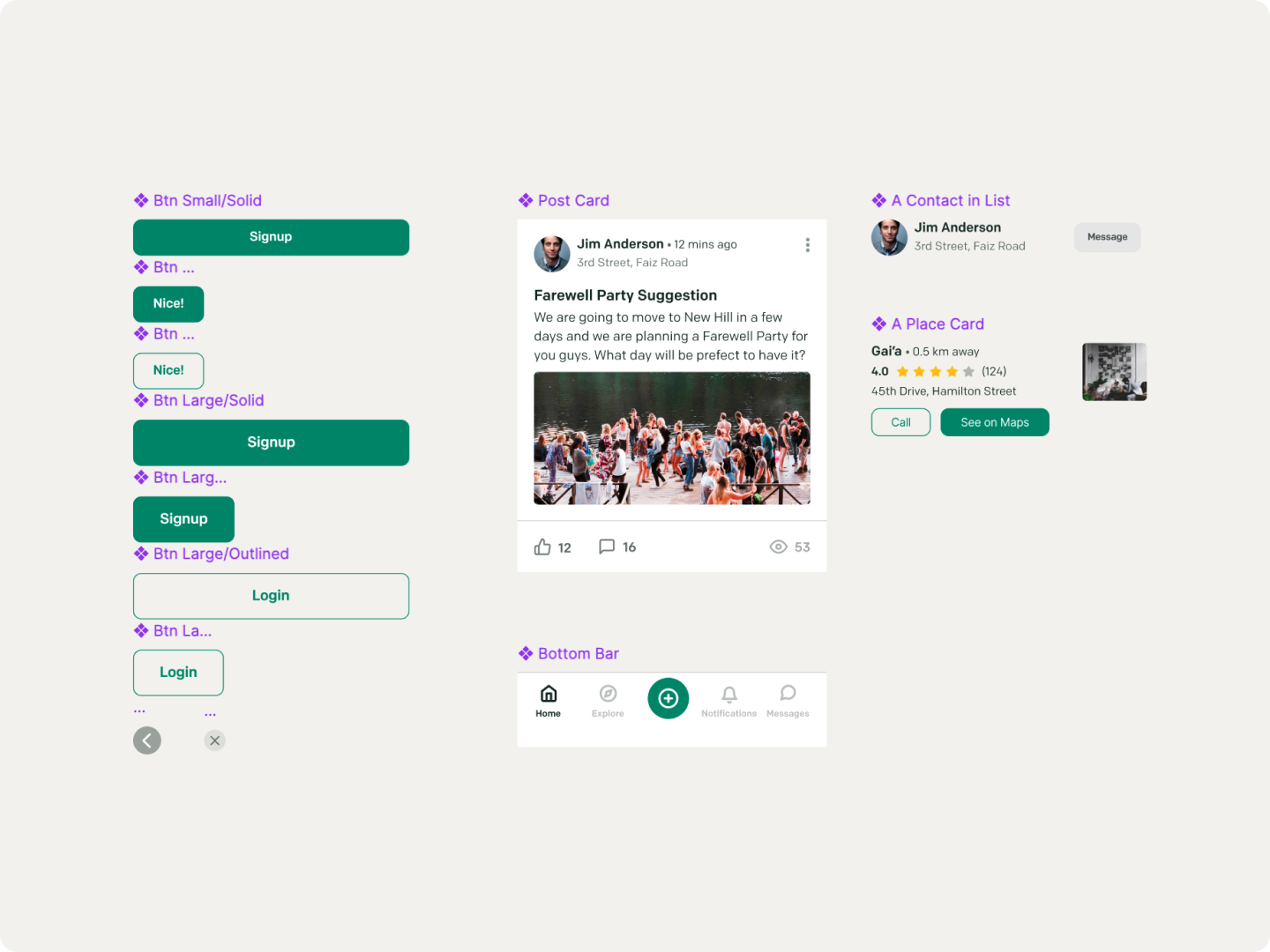
Then I moved to visual design and looked at some well-designed and aesthetic apps in the Social category — like Meetup, Cocoon, Workplace by FB, and Jour — for inspiration in terms of colors, visuals, and layout. Then I started putting my sketches into screens, and I approached almost all things on screen as components, so it would help me in changing anything at a later stage.
Key Challenging Flows
User on-boarding & confirming that user belongs to neighborhood
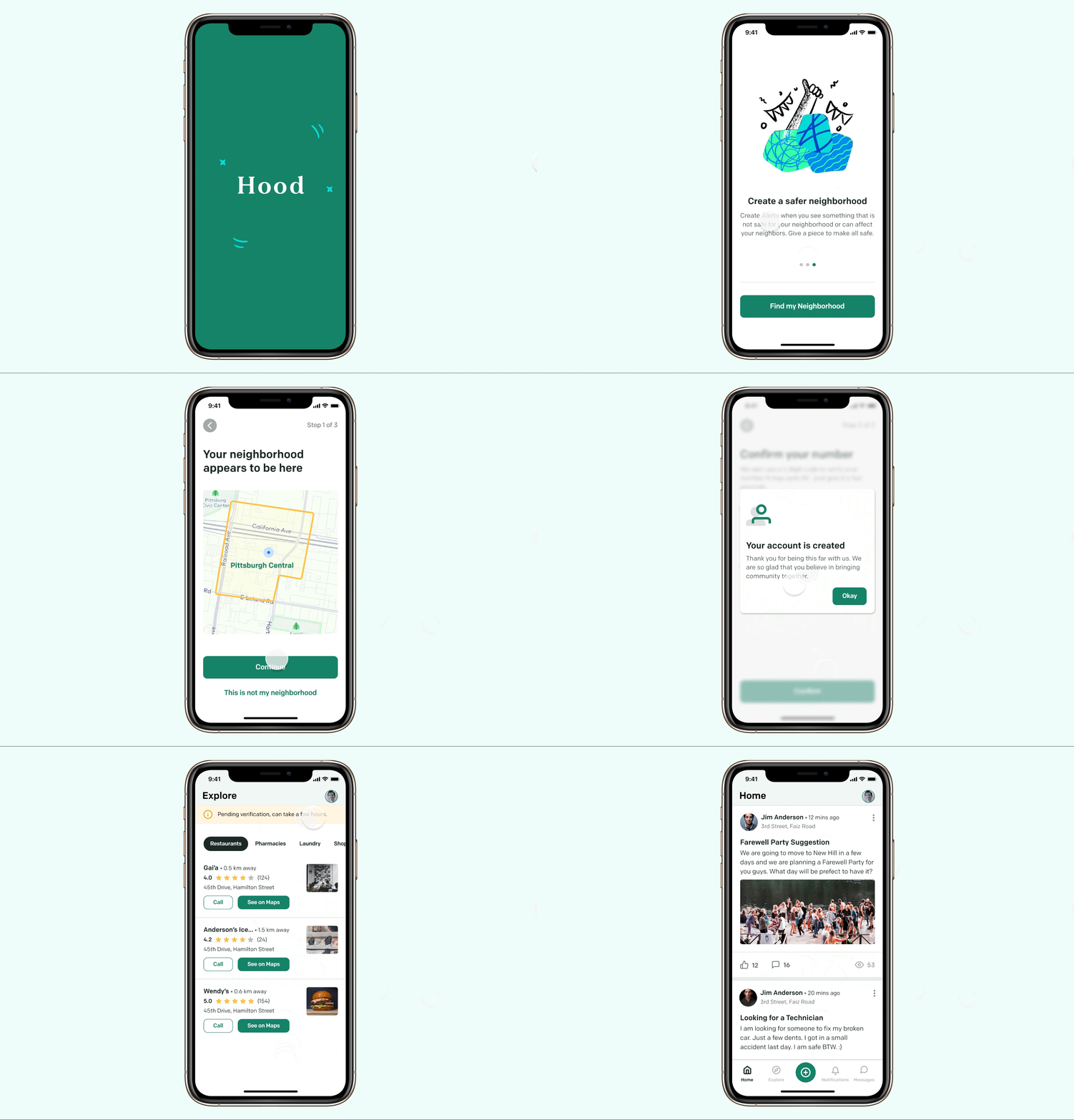
First, let’s go to getting a user signed up. There are two ways to sign up in the app: either a user signs up from scratch, or they are invited by someone to that neighborhood. Let’s only consider the first scenario — a person signing up from scratch.
In this case, they first locate their neighborhood. At this stage they give access to their location, and we get their current location and show them the neighborhood they fall in based on their current location. If the user confirms it is the neighborhood they want to join, they enter their name, photo, email (optional), and phone number, which will be confirmed to complete setup — we use phone number to log users in, as phone number is the most common contact point that people have for other local connections.
Now the most challenging part: how do we verify that a user really belongs to that neighborhood? And the constraint that a person will not be able to join that neighborhood until they are verified. Certainly there were some assumptions made. So there were a few ideas regarding this:
- When a user is on the last step, we show them a bunch of people from their neighborhood and from other neighborhoods, and ask them to select only those who they know belong to their neighborhood. (Discarded, as we are showing people to a yet-unverified member, which possibly intrudes those users’ privacy.)
- We can ask the user to select people from a list and send notifications to those people to verify them. (Discarded, as we are showing people from that neighborhood without verifying that person.)
- We can send a notification to the 3 immediate neighbors of that person and ask them to verify them — they have 2 hours to do it. After 2 hours, the notification will be sent to 3 other neighbors. And so on. (Seemed applicable, as it is not intruding the neighborhood’s privacy at any cost.)
- We let the user into the neighborhood and send a notification to neighbors for a new member; if someone reports of them not being from the neighborhood, we block them. (Discarded — that time window when they’re fully active on the app can cause privacy issues, and notifying so many users at once will be distracting and negative.)
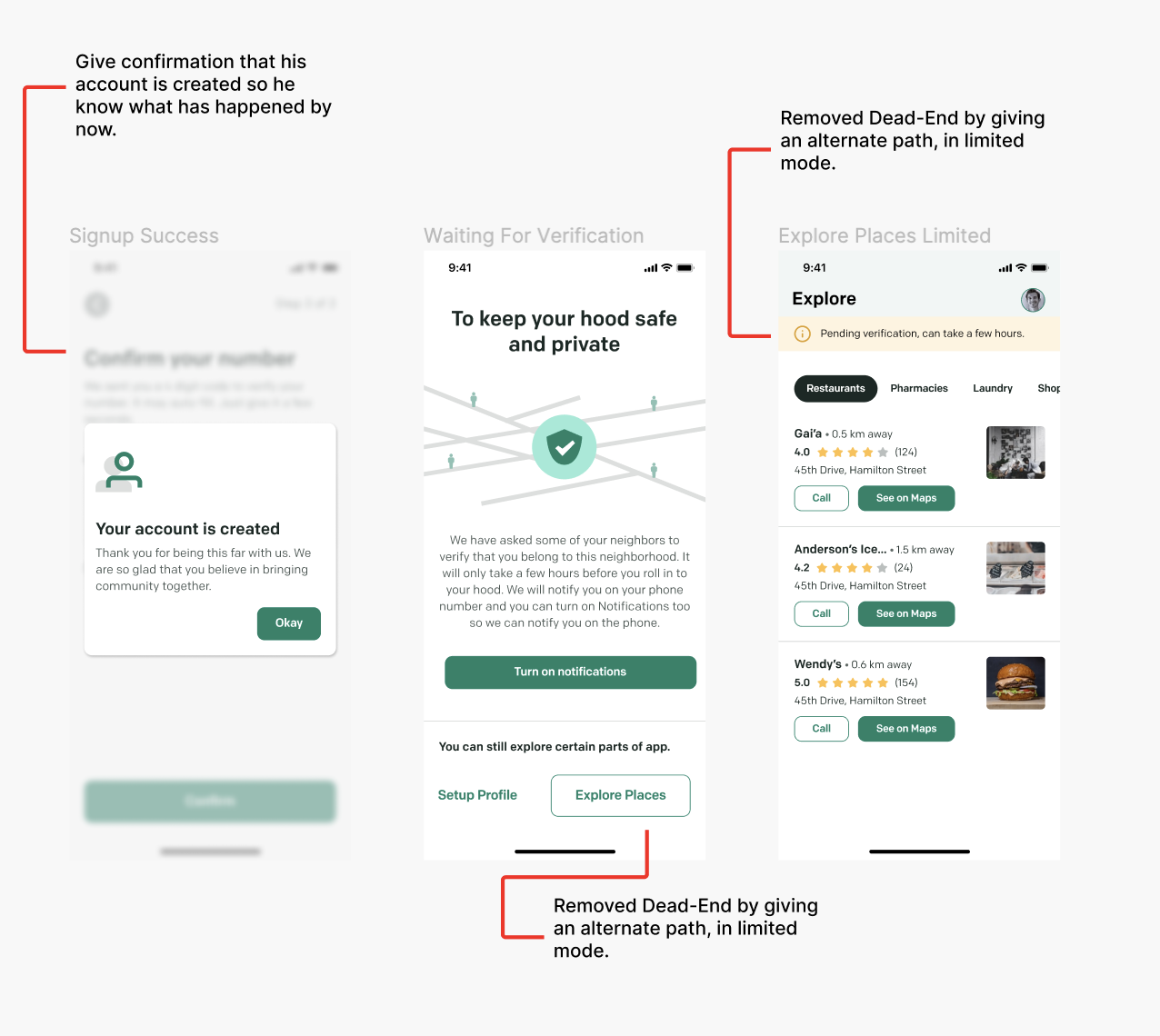
So I picked what seemed most applicable and went forward with that. But then came another problem: the user’s flow hit a dead-end. They had no use of the app until they were verified. So to deal with that, I decided that businesses/places in a neighborhood are always open to all — whether they belong there or not — so an unverified person can see those, and their journey isn’t affected negatively.
Supporting anonymous posts
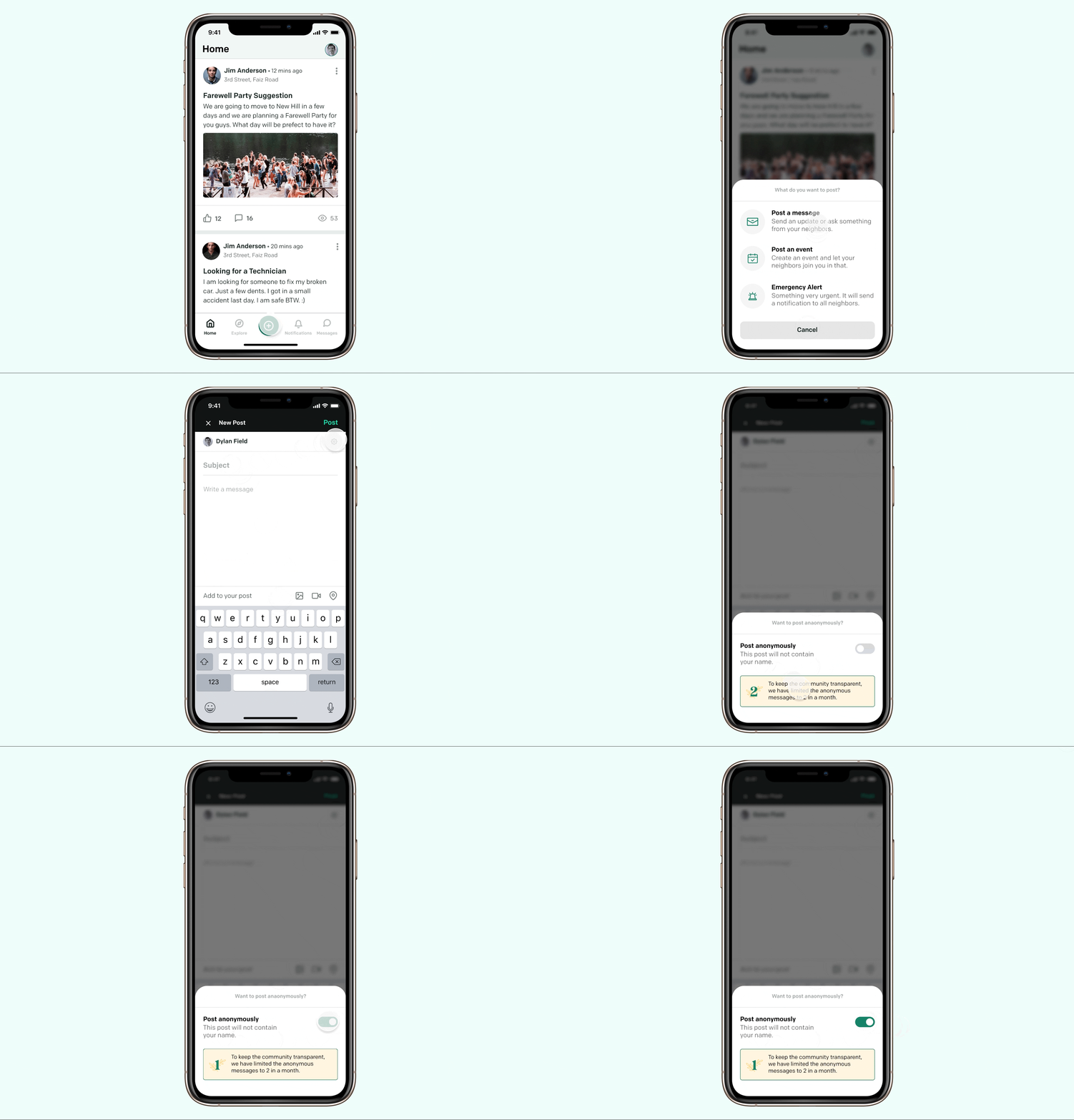
Another key challenge and opportunity was to introduce anonymous posts. This was requested by some users so they could post things they could not say straight-forwardly to their neighbors — and also considering the local-cultural values here, females were reluctant to adopt open posting with their name and location. So considering these scenarios, there was a need for anonymous posts.
But as a community we can not grow when everyone is posting anonymously, and it will not help in bringing people closer. So I decided that there must be a limit on the number of anonymous posts a user can make in one month, so people don’t fall for posting everything anonymously, and use it when they really need it. So I kept that number to be two in a month. They renew every month and don’t sum up into the next month, so it also encourages people to post, even anonymously.
Prototype
✋ Hit "F" while you hover on the prototype to enter full-screen mode.